When to split your menu into lunch, dinner, drinks and brunch.

Most restaurants start with one menu and keep adding to it. A brunch section goes in, then cocktails, then a lunch deal. Before long, guests scroll past 30 drinks to find the food, and the lunch prices still show at dinner. Some places need two or three menus. Others are better off with one menu, laid out more clearly.

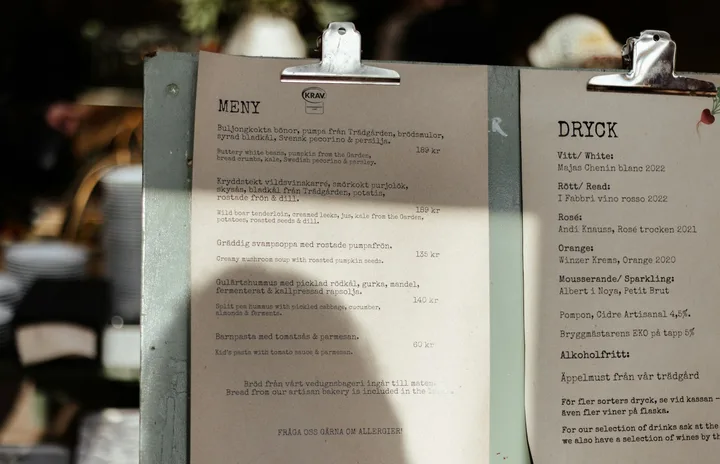
Printed food and drinks menus clipped to boards side by side
Photo by Annie Spratt on Unsplash.

Signs your menu has outgrown one page

You probably need to split if any of these sound familiar:

  • Prices or portions change with the time of day. A smaller, cheaper lunch plate shouldn't sit next to the dinner version.
  • Some dishes are only served at certain hours. Weekend brunch or a late-night bar menu.
  • The drinks list is longer than the food. On a phone, that's a lot of scrolling for someone who just wants dinner.
  • Guests keep asking "Can I still order this?" That usually means the menu doesn't say when things are served.
  • Different people update different parts. The bar changes the drinks while the kitchen changes the food.

When one menu is the better choice

More menus aren't always better. Every extra menu is one more thing to keep up to date. If a dish appears on both the lunch and dinner menus, a price change means two edits. Forget one, and guests see two different prices.

Keep one menu if:

  • you serve the same food at the same prices all day
  • the whole menu fits on a phone screen or two without endless scrolling
  • you're a café, food truck or market stall with a short list

You can still make one menu easy to move around. Clear section names help. Notes like "Served 11:30 to 3" beside a section work too, and so does a row of section links at the top so guests can jump to Drinks.

Common ways to split a menu

MenuSplit it off when
Lunch and dinnerHours, portions or prices are different
DrinksThe list is long, or it changes on its own schedule (rotating taps, wine by the glass)
BrunchIt runs only on weekends or certain days
KidsParents need to find it fast, and it's short enough to fit on one screen
DessertsYou hand it out after the meal, or it has its own dessert wines and coffees
Events and set menusHolidays, tasting nights or private parties. These are temporary, so they're easy to switch off afterward

Start with the split that solves the biggest problem. For most places that's drinks, then lunch and dinner.

One QR code or several?

Once you have more than one menu, you have a choice about QR codes.

One code per menu. Put the drinks code on the bar and the brunch code on weekend table cards. Guests land straight on the menu they need. The downside is more cards to print and track. If a brunch card ends up on a table at dinner, guests open the wrong menu.

One code for everything. The code opens one menu, which links to the others. Guests tap once more, but you only print one card, and it's right at any time of day.

A simple rule: if a menu lives in one place (the bar, the patio, the kids' corner), give it its own code there. For table cards, use one code that works at every hour.

Whichever you choose, write the serving times at the top of each menu. "Brunch: Saturday and Sunday, 10 to 2" stops a lot of confused orders.

Pick a main menu for Google and social media

Your Google Business Profile has a single Menu link field, and most social profiles have room for one link. Choose the menu most people are looking for, usually dinner or your all-day menu, and put that link there. Then add links from that menu to the others, so someone who lands on dinner can find brunch in one tap. Our article on adding your menu to Google shows where the Menu link goes.

Keep several menus in step

Splitting works only if every menu stays current. A few habits help:

  • Keep a short list of dishes that appear on more than one menu. When one of those prices changes, update every menu on the list.
  • Switch off temporary menus when they end. A Christmas menu still live in February looks careless.
  • Check each menu once a month on your phone, from the QR code guests actually use.
  • Make one person responsible for each menu, especially if the bar and kitchen update separately.

In Menupresso, one free account can hold up to 10 menus. Each menu has its own link and QR code, and the link never changes when you edit. Inside a menu, you can show sections as one long list with a jump bar at the top, or as tabs guests tap through. A Button block can link one menu to another, so your dinner menu can carry a "See the drinks menu" button. When you're ready to set one up, our guide to creating a digital menu walks through it.

Sources

Give each menu its own link.

Create lunch, dinner and drinks menus on one free account, each with a QR code that keeps working after you edit it.

Create a free menuRead the setup guide